
AI Image Editor
AI retouching, Image text editing, Object replacement/removal, style transfer, watermark removal, ID photos, etc.

Drag and drop an image here or
JPG, PNG, JPEG, WEBP, BMP, PDF
No Image? try one of these:
'%3e%3ccircle%20cx='179'%20cy='585'%20r='385'%20fill='url(%23paint0_linear_1860_91497)'%20/%3e%3c/g%3e%3cdefs%3e%3cfilter%20id='filter0_f_1860_91497'%20x='-406'%20y='0'%20width='1170'%20height='1170'%20filterUnits='userSpaceOnUse'%20color-interpolation-filters='sRGB'%3e%3cfeFlood%20flood-opacity='0'%20result='BackgroundImageFix'%20/%3e%3cfeBlend%20mode='normal'%20in='SourceGraphic'%20in2='BackgroundImageFix'%20result='shape'%20/%3e%3cfeGaussianBlur%20stdDeviation='100'%20result='effect1_foregroundBlur_1860_91497'%20/%3e%3c/filter%3e%3clinearGradient%20id='paint0_linear_1860_91497'%20x1='179'%20y1='200'%20x2='179'%20y2='970'%20gradientUnits='userSpaceOnUse'%3e%3cstop%20stop-color='white'%20stop-opacity='0'%20/%3e%3cstop%20offset='1'%20stop-color='%23FF6583'%20stop-opacity='0.45'%20/%3e%3c/linearGradient%3e%3c/defs%3e%3c/svg%3e)
'%3e%3ccircle%20cx='357.5'%20cy='68.5'%20r='157.5'%20fill='url(%23paint0_linear_1860_91498)'%20/%3e%3c/g%3e%3cdefs%3e%3cfilter%20id='filter0_f_1860_91498'%20x='0'%20y='-289'%20width='715'%20height='715'%20filterUnits='userSpaceOnUse'%20color-interpolation-filters='sRGB'%3e%3cfeFlood%20flood-opacity='0'%20result='BackgroundImageFix'%20/%3e%3cfeBlend%20mode='normal'%20in='SourceGraphic'%20in2='BackgroundImageFix'%20result='shape'%20/%3e%3cfeGaussianBlur%20stdDeviation='100'%20result='effect1_foregroundBlur_1860_91498'%20/%3e%3c/filter%3e%3clinearGradient%20id='paint0_linear_1860_91498'%20x1='357.5'%20y1='-89'%20x2='357.5'%20y2='226'%20gradientUnits='userSpaceOnUse'%3e%3cstop%20stop-color='%239757d744'%20stop-opacity='0'%20/%3e%3cstop%20offset='1'%20stop-color='%23FF6583'%20stop-opacity='0.45'%20/%3e%3c/linearGradient%3e%3c/defs%3e%3c/svg%3e)
How to Edit Image with AI?
1. Upload Image
Select an image to upload and enter the AI Image Editor.
2. Edit with AI
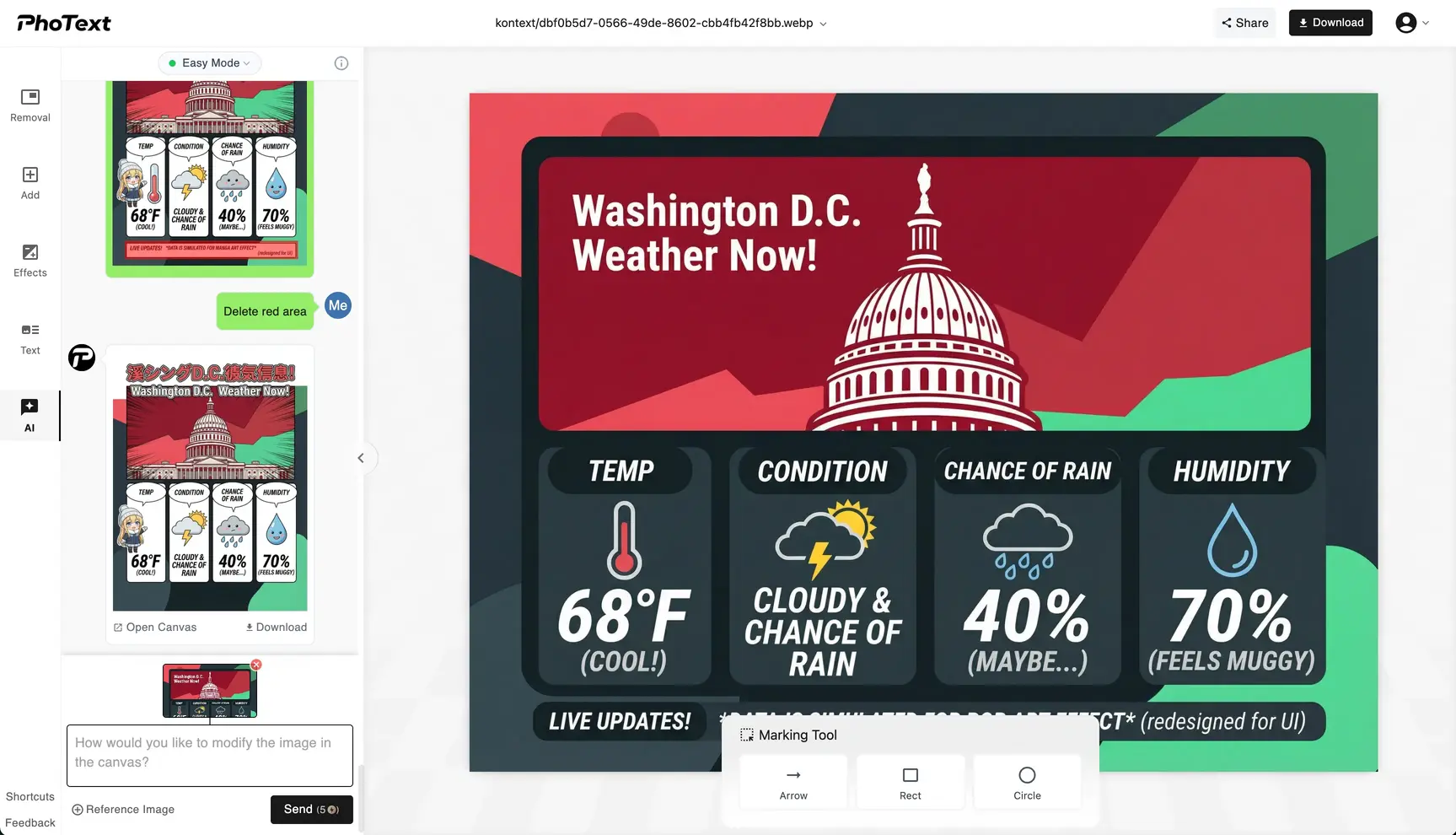
Enter your editing requirements in the AI chat box, and AI will automatically edit the image for you. If you want to edit text in the image, simply click on the text to edit it directly.
3. Save Image
After editing, click the download button in the top right corner to save your edited image.
Privacy First
Our servers retain images for 30 days for logged-in users and 1 day for non-logged-in users; overdue items are permanently deleted.
Smart AI Editing
Expand image boundaries or modify local content based on prompts, infinite creativity.
Seamless Text Editing
Edit text in images like editing a document, automatically matching fonts and background.
Works on Web and Mobile
You can access our site via your mobile phone anywhere & anytime.